
Can You Create a 3D Render from a CAD File?


Can You Create a 3D Render from a CAD File?
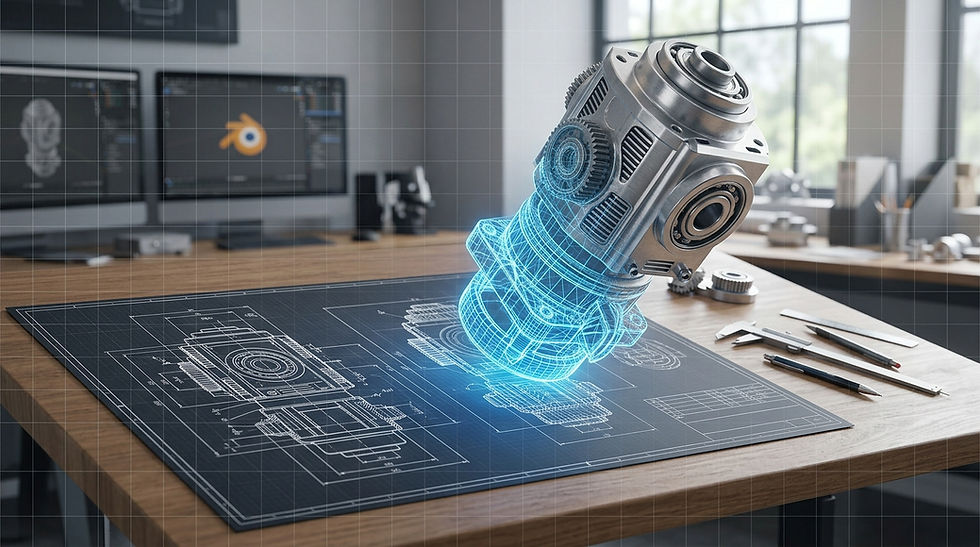
If you already have a CAD file for your product, industrial machine, or equipment, you may not need to create a 3D model from scratch to produce professional visuals.
In many cases, an existing CAD model can be converted into a render-ready 3D asset and used to create photorealistic product images, animations, and marketing content.
Especially in industries such as engineering, industrial design, machinery, automotive, and manufacturing, CAD files can provide a highly accurate starting point for 3D visualization.
What Is a CAD File?
CAD stands for Computer-Aided Design. CAD software is used to design products, components, machines, and technical structures digitally.
Programs such as SolidWorks, CATIA, Siemens NX, Autodesk Inventor, Fusion 360, and Rhino are commonly used to create CAD models.
Common CAD file formats include:
STEP / STP
IGES / IGS
SAT
STL
OBJ
FBX
Parasolid
DWG / DXF
However, not every CAD file is immediately ready for rendering. The file format, model complexity, geometry, and target 3D software all affect the workflow.
How Is a Render Created from a CAD File?
The CAD model is first imported into a 3D application such as Blender, 3ds Max, or Cinema 4D.
Because CAD models are primarily designed for engineering and manufacturing, they often require optimization before being used for visualization.
A typical workflow looks like this:
CAD File → Model Import → Geometry Cleanup → Materials → Lighting → Camera → Rendering
For example, if you have a SolidWorks model of an industrial machine, the existing geometry can be used as the foundation for a photorealistic 3D scene instead of rebuilding the entire product from scratch.
Why Can't You Always Render a CAD File Directly?
There is an important difference between a CAD model and a rendering model.
A CAD model is created primarily for manufacturing and engineering accuracy. A rendering model is optimized for visual quality and performance.
For this reason, a CAD model may require several steps before rendering:
Removing unnecessary geometry
Optimizing heavy mesh structures
Cleaning up surfaces
Improving sharp edges for realistic highlights
Organizing components
Creating and assigning materials
Preparing UVs and textures
Optimizing the scene for rendering
For complex industrial products, attempting to render the original CAD model without optimization can result in unnecessarily heavy scenes and long render times.
Can You Create Photorealistic Renders from CAD Models?
Yes.
A CAD model can be transformed into a photorealistic 3D asset by applying realistic materials, surface details, lighting, reflections, and camera compositions while maintaining the technical geometry of the original product.
A CAD model can be used to create:
Product marketing images
Website visuals
Catalog and brochure images
Advertising visuals
Product animations
Exploded-view animations
Technical animations
Social media content
This makes it possible to present a product from different angles and in different environments without requiring a physical prototype or traditional photo shoot.
Which CAD File Formats Are Suitable for Rendering?
There is no single file format that is best for every project.
Formats such as STEP and IGES are commonly used to transfer CAD geometry between different applications. However, the quality of the conversion depends on the original CAD software, the complexity of the model, and how the file was exported.
Additional information may also be useful, including:
Product colors
Material specifications
Texture files
Technical drawings
Product photographs
Logos and graphic assets
If the goal is photorealistic rendering, geometry alone may not provide enough information to accurately reproduce the appearance of the real product.
What If You Don't Have a CAD File?
Not having a CAD file does not mean that 3D visualization is impossible.
A product can be recreated using existing photographs, technical drawings, dimensions, and reference materials.
However, when a CAD model is already available, it can significantly reduce the need for rebuilding the product from scratch. It can also provide a more accurate foundation for the visualization process.
Advantages of Rendering from a CAD Model
Using an existing CAD model for 3D visualization offers several advantages.
Faster Production
Since the product does not need to be modeled from scratch, the overall production time can be reduced, especially for complex products.
Technical Accuracy
The original CAD geometry provides an accurate foundation, helping preserve the product's dimensions and design.
Multiple Visual Options
The same 3D model can be used to create different camera angles, materials, environments, lighting setups, and compositions.
3D Animation
A CAD model can be used not only for still images but also for product demonstrations, technical animations, and animations showing how a machine works.
Reduced Need for Physical Photography
Products can be visualized digitally without waiting for a physical prototype, transporting equipment to a studio, or preparing multiple physical shooting environments.
Do You Need Product Photos to Render a CAD Model?
Not always.
If the CAD model contains sufficient geometric detail and the product's material specifications are available, professional visuals can be created using the CAD file as the primary source.
However, real product photographs can be extremely useful when the goal is photorealism.
Photos can help determine:
Surface roughness
Material reflectivity
Exact color tones
Fine surface details
Small design elements
Real-world proportions and appearance
For example, CAD geometry may tell us that a component is made of metal, but a photograph can provide valuable information about how glossy, brushed, rough, or reflective that metal actually looks.
Turn Your CAD File into Professional 3D Visuals with Pixel Fabrikası
If you already have a CAD model and need professional product visuals or animations, the existing model can often be used as the foundation of the entire visualization process.
At Pixel Fabrikası, we use CAD models to create realistic 3D product visualizations, industrial renders, product animations, and CGI content.
Whether you need a single product render, a complete set of marketing visuals, or a technical 3D animation, your existing CAD data can be transformed into high-quality visual content.
Have a CAD file? Share your model with us and let's evaluate how it can be turned into professional 3D visuals.
Frequently Asked Questions
Can you render directly from a CAD file?
Yes. However, most CAD models need some optimization and preparation before they are suitable for professional rendering.
Can you render a STEP file?
Yes. STEP files can be imported into compatible 3D software and used as a foundation for visualization.
Can you create an animation from a CAD file?
Yes. After the CAD model is prepared for visualization, it can be used to create product animations, technical demonstrations, exploded views, and other CGI content.
What if my CAD file is very heavy?
Heavy CAD models can still be used. The geometry can be optimized, unnecessary components removed, and the model converted into a more efficient structure for rendering.
Can you create a render without a CAD file?
Yes. Products can be recreated from photographs, technical drawings, dimensions, and other reference materials.
Conclusion
A CAD file is not limited to engineering and manufacturing purposes. With the right preparation, the same model can become the foundation for photorealistic product renders, 3D animations, CGI advertising, and marketing content.
If you already have a CAD model, you may already have most of what is needed to start creating professional 3D visuals.


Comments